



15 Best Free Tools Every Fiverr Seller Needs in 2026 [Boost Your Gigs & Income]
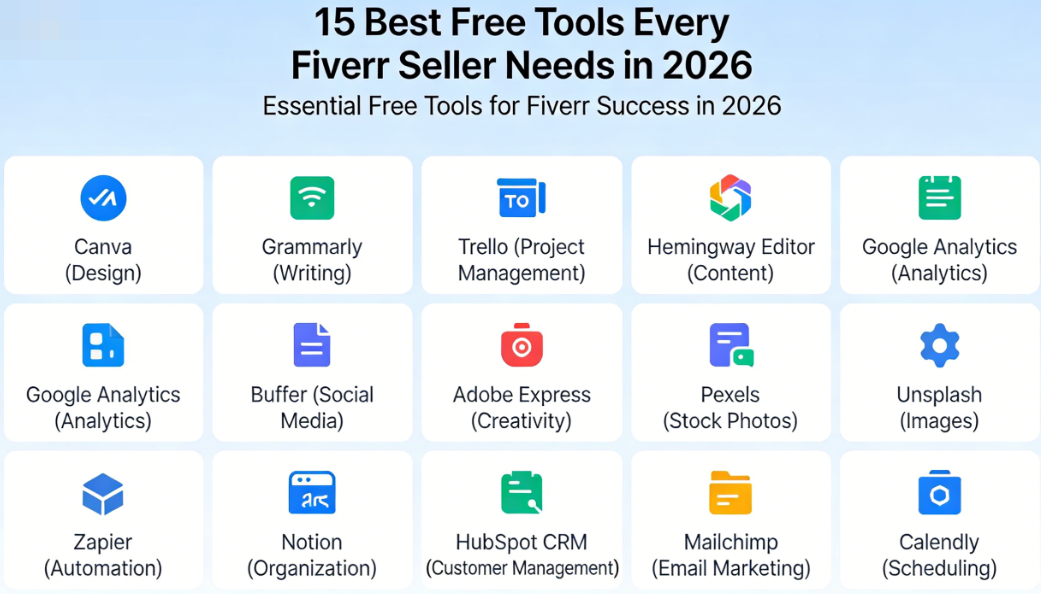
Here’s a stat that might surprise you: the average Fiverr seller who uses productivity and optimization tools earns 3.2x more than those who wing it. Yet most freelancers — especially beginners — have no idea which Fiverr seller tools are out there, let alone that many of them are completely free.
I’ve been selling on Fiverr for over four years now, and let me tell you, the difference between my first year (barely scraping $300/month) and today (consistently hitting $3,000–$5,000/month) wasn’t just about getting better at my craft. It was about working smarter, not harder. And the tools I’m about to share played a massive role in that transformation.
If you’re just getting started or you’re an intermediate seller looking to break through a plateau, this guide is for you. I’m going to walk you through 15 free tools that cover everything from gig SEO and graphic design to time tracking and client communication. By the end, you’ll have a complete toolkit that costs exactly $0 — and could genuinely double your freelance income.
Ready? Let’s dive in.
Why the Right Fiverr Seller Tools Make All the Difference
Before we get into the list, let’s talk about why tools matter so much. When you’re freelancing on Fiverr, you’re not just a service provider — you’re a one-person business. You’re the marketer, the project manager, the accountant, the customer support rep, and the creative talent, all rolled into one.
That’s a lot of hats to wear. And without the right systems in place, things start to slip. You forget to respond to a buyer’s message. Your gig images look amateurish next to competitors who invested in design. You underprice your services because you have no idea how long a project actually takes you.
The right tools solve these problems. They help you:
- Optimize your gigs so they rank higher in Fiverr’s search algorithm
- Create professional visuals that grab buyers’ attention
- Manage your time so you don’t burn out or undercharge
- Communicate with clients more effectively
- Track your earnings and plan for growth
And the best part? You don’t need to spend a penny to get started. If you haven’t already, create your free Fiverr account and then come back to set up these tools alongside your first gigs.
The 15 Best Free Fiverr Seller Tools for 2026
I’ve organized these tools into five categories based on what they help you accomplish. Let’s start with the foundation of any successful Fiverr gig: search visibility.
Category 1: Gig SEO & Keyword Research Tools
Fiverr works a lot like a search engine. Buyers type in what they need, and Fiverr’s algorithm decides which gigs show up first. If your gig isn’t optimized for the right keywords, you’re invisible — no matter how talented you are. These Fiverr seller tools help you fix that.
1. Fiverr’s Own Search Bar (Auto-Suggest)
This one’s hiding in plain sight. Fiverr’s search bar auto-suggests popular search terms as you type, and these suggestions are based on real buyer searches. It’s essentially free keyword research straight from the source.
How to use it:
- Go to Fiverr’s homepage and start typing your service (e.g., “logo design”)
- Note every auto-suggestion that appears — these are high-demand search terms
- Use these exact phrases in your gig title, description, tags, and FAQ
- Repeat with variations (e.g., “logo,” “brand identity,” “business logo”)
Pro Tip: Do this research once a month. Buyer search behavior changes with trends, and what worked six months ago might not be the top search term today.
2. eRank (Free Tier)
Originally built for Etsy sellers, eRank has expanded to include tools useful for any online marketplace seller. Its keyword explorer helps you discover search volume, competition levels, and trending terms in your niche.
While it doesn’t pull directly from Fiverr’s database, the keyword trends often overlap — especially for creative services like graphic design, writing, and video editing. The free tier gives you enough searches per day to do solid research.
3. Google Trends
Want to know if demand for your service is growing or shrinking? Google Trends is your crystal ball. It shows you how search interest for any topic has changed over time and lets you compare multiple keywords side by side.
Real-world example: Back in early 2025, I noticed “AI-generated voiceover” was trending sharply upward on Google Trends. I created a gig around it within a week and landed $1,200 in orders-quality images. These free tools help you compete visually — even if you’re not a designer.
4. Canva (Free Plan)
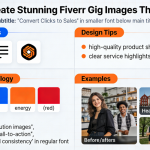
If you only use one tool from this entire list, make it Canva. The free plan gives you access to thousands of templates, stock photos, graphics, and fonts. You can create stunning gig thumbnails, portfolio images, social media graphics for promoting your Fiverr gigs, and even client deliverables.
Best features for Fiverr sellers:
- Pre-sized templates (create a custom 1280×769 px canvas for Fiverr gig images)
- Brand Kit lite — save your colors and fonts for consistent branding
- Background remover (limited free uses, but incredibly handy)
- Real-time collaboration if you work with a partner
5. Photopea
Think of Photopea as Photoshop in your browser — for free. It handles PSD files, layers, masks, and advanced editing that Canva can’t touch. If you’re a graphic designer selling on Fiverr, this tool is an absolute game-changer for when you don’t want to pay for an Adobe subscription.
I’ve used Photopea to edit client mockups, create before-and-after portfolio samples, and polish gig images. It has a small learning curve, but there are tons of YouTube tutorials to get you up to speed.
6. Unsplash & Pexels
Need high-quality stock photos for your gig images or client projects? Unsplash and Pexels offer millions of free, royalty-free images that you can use commercially. No attribution required (though it’s nice to give credit when you can).
? Key Takeaway: Your gig image is your most powerful sales tool on Fiverr. Spend at least 30 minutes crafting a professional, eye-catching thumbnail using Canva or Photopea. Test different versions and track which one gets more clicks. This single change can dramatically increase your order volume.
Category 3: Writing, Communication & AI Assistance Tools
Whether you’re writing gig descriptions, responding to buyer inquiries, or drafting project deliverables, clear communication is everything on Fiverr. Typos and awkward phrasing can cost you sales — buyers associate writing quality with professionalism. Here are the best free Fiverr seller tools for polishing your words.
7. Grammarly (Free Tier)
Grammarly catches spelling errors, grammar mistakes, and awkward phrasing in real time. Install the browser extension, and it works everywhere — including Fiverr’s message inbox and gig description editor.
This is especially crucial if English isn’t your first language (and a huge percentage of successful Fiverr sellers are non-native English speakers). The free tier handles the basics beautifully. I’ve seen sellers go from getting no responses to landing consistent orders just by cleaning up their gig descriptions with Grammarly.
8. ChatGPT / Claude (Free Tiers)
AI assistants like ChatGPT and Claude are incredibly useful for brainstorming gig titles, writing compelling descriptions, generating FAQ answers, and even drafting buyer response templates. The free tiers of both tools are more than enough for most Fiverr sellers.
How I use AI as a Fiverr seller:
- Generate 10 gig title variations and pick the best one
- Rewrite my gig description to be more persuasive
- Create canned responses for common buyer questions
- Brainstorm new gig ideas based on trending services
Important: Use AI as a starting point, not a copy-paste machine. Buyers can tell when a gig description sounds robotic. Always add your own personality and specific details about your experience.
9. Hemingway Editor
The Hemingway Editor is a free web app that makes your writing bold and clear. It highlights overly complex sentences, passive voice, and hard-to-read sections. Paste in your gig description, and it’ll show you exactly where to simplify.
For Fiverr, you want your writing to score at a Grade 6–8 reading level. Buyers are scanning dozens of gigs quickly — they don’t have time to decode complicated language. Hemingway helps you get straight to the point.
? Ready to Put These Tools to Work?
The best tools in the world won’t help if you don’t have a Fiverr account to use them with. If you haven’t already, now is the perfect time to get started. Fiverr is free to join, free to list gigs on, and you only pay a commission when you actually make money.
? Sign up for Fiverr here and create your first gig today
Then come back and use the tools in this guide to optimize everything from your gig images to your descriptions. Your future self will thank you.
Category 4: Productivity & Time Management Tools
Here’s something nobody tells you about freelancing on Fiverr: time is your most valuable asset, and most sellers waste a shocking amount of it. If you don’t know how long a project takes you, you can’t price it correctly. If you can’t manage your tasks, deadlines slip and ratings drop. These free tools keep you on track.
10. Toggl Track (Free Plan)
Toggl Track is a dead-simple time tracking tool that changed how I think about pricing. The free plan supports up to 5 users, unlimited projects, and exportable reports.
Here’s why this matters for Fiverr: Let’s say you offer logo design starting at $50 and it takes you 5 hours. That’s $10/hour. But if you track your time and realize the average project actually takes 8 hours (including revisions and communication), you’re really making $6.25/hour. That’s below minimum wage in most countries.
Once you have accurate time data, you can:
- Adjust your pricing to ensure you’re earning a fair rate
- Identify which gigs are most profitable per hour
- Set realistic delivery timelines that protect your ratings
- Decide which services to double down on and which to drop
11. Notion (Free Plan)
Notion is like having a second brain. Use it to create client databases, project trackers, content calendars, and reusable templates — all in one place. The free plan is absurdly generous for individual users.
My Fiverr Notion setup includes:
- A client tracker with columns for order number, delivery date, status, and notes
- A gig ideas database where I brainstorm and rate potential new services
- A templates library with pre-written buyer messages for different scenarios
- A monthly revenue dashboard where I log earnings and set goals
You can even find free Notion templates specifically built for freelancers online. Just search “freelancer Notion template” and you’ll find dozens.
12. Google Calendar + Reminders
Don’t overthink this one. Google Calendar is free, syncs across all your devices, and is perfect for managing Fiverr deadlines. Here’s my system:
- When I accept an order, I immediately create a calendar event for the delivery deadline — with a reminder set 24 hours before
- I block out “deep work” time where I focus exclusively on Fiverr deliverables
- I schedule “gig maintenance” time once a week to update descriptions, test new images, and respond to inquiries
This simple system has kept my on-time delivery rate at 100% for over two years straight. And on Fiverr, that metric matters enormously for your search ranking.
For a deeper dive into time management strategies and other Fiverr tips that boost your seller performance, we’ve got you covered.
Category 5: Financial Tracking & Business Growth Tools
Most Fiverr for beginners guides skip over the business side of freelancing. But if you want to turn your side hustle into serious freelance income, you need to treat it like a business — and that means tracking your money.
13. Wave Accounting (Free)
Wave is a completely free accounting software designed for small businesses and freelancers. It handles invoicing, expense tracking, and financial reporting without charging you a dime.
Why it’s essential for Fiverr sellers:
- Track your gross vs. net income (remember, Fiverr takes a 20% commission)
- Log business expenses like software subscriptions, equipment, or internet costs
- Generate reports for tax season — this alone saves hours of headaches
- Create professional invoices for off-platform clients you acquire through Fiverr
Even if you’re only making $500/month right now, start tracking from day one. When tax season rolls around, you’ll be grateful.
14. Google Sheets (Fiverr Income Tracker)
If Wave feels like overkill, start with a simple Google Sheets spreadsheet. Create columns for date, gig type, order amount, Fiverr’s fee, net income, and hours spent. Over time, this data becomes incredibly valuable.
After three months of tracking, you’ll be able to answer questions like:
- Which gig type brings in the most revenue?
- What’s my average hourly rate across all services?
- Which months are busiest (so I can plan ahead)?
- Am I actually growing, or am I stuck?
Data doesn’t lie. And when you combine financial tracking with the other Fiverr seller tools on this list, you start making decisions based on facts instead of feelings.
15. Fiverr Seller Dashboard & Analytics
Last but definitely not least — don’t sleep on Fiverr’s built-in analytics. Your seller dashboard shows you impressions, clicks, orders, conversion rates, and response times. Most sellers glance at it once and never look again. Big mistake.
Here’s what to check weekly:
| Metric | What It Tells You | Action to Take |
|---|---|---|
| Impressions | How often your gig appears in search | Low? Improve your gig SEO and tags |
| Clicks | How many people view your gig page | Low click rate? Improve your gig image and title |
| Orders | How many people actually buy | Low conversion? Improve description, pricing, or portfolio |
| Response Time | How fast you reply to messages | Keep this under 1 hour for best results |
| Order Completion | Your cancellation rate | Keep above 90% — cancellations tank your ranking |
| On-Time Delivery | How often you deliver by the deadline | Aim for 100% — use Google Calendar to stay on track |
Think of your Fiverr analytics as your business’s health dashboard. Check it regularly, spot problems early, and you’ll stay ahead of 90% of sellers who never bother.
If you want to learn how to read and act on these metrics, explore our freelancing resources for step-by-step tutorials.
Bonus: How to Set Up Your Fiverr Seller Toolkit (Step-by-Step)
Having 15 tools is great, but knowing how to implement them without getting overwhelmed is what actually matters. Here’s my recommended setup order — spend about 30 minutes on each, and you’ll have your entire toolkit ready in a single afternoon.
- Week 1 — Foundation: Set up your Fiverr account (get started on Fiverr if you haven’t yet), install Grammarly, and create your first gig using Fiverr’s auto-suggest for keyword research.
- Week 1 — Visuals: Create a Canva account and design your gig thumbnail. Use Unsplash/Pexels for any stock images you need.
- Week 2 — Communication: Set up ChatGPT or Claude and draft canned responses for your most common buyer questions. Run your gig description through Hemingway Editor.
- Week 2 — Productivity: Create a Notion workspace with a client tracker and set up Toggl Track for your first project.
- Week 3 — Business: Create a Google Sheet or Wave account to track your income. Start reviewing your Fiverr dashboard analytics every Sunday.
? Key Takeaway: You don’t need to set up all 15 tools on day one. Start with the essentials (Fiverr account, Canva, Grammarly) and add more as you grow. The goal is to build systems that scale so your income can grow without your stress levels growing with it.
Common Mistakes Fiverr Sellers Make (And How These Tools Fix Them)
Let me be real with you — I made every single one of these mistakes when I was starting out. Here’s what I wish I’d known:
Mistake #1: Ignoring Gig SEO
72% of Fiverr orders come from search within the platform itself. If you’re not using Fiverr’s auto-suggest and Google Trends to research keywords, you’re leaving money on the table. This is the most basic of Fiverr tips, yet most sellers skip it entirely.
Mistake #2: Using Generic Gig Images
I once spent three weeks wondering why my gig had zero orders — then I replaced the stock photo thumbnail with a custom Canva design. Orders started coming in within 48 hours. Your gig image is your first impression. Make it count.
Mistake #3: Not Tracking Time
I was charging $25 for a service that took me 6 hours. That’s roughly $4/hour after Fiverr’s cut. It wasn’t until I started using Toggl Track that I realized how badly I was undervaluing my work. Once I had the data, I confidently raised my prices — and my best clients didn’t even blink.
Mistake #4: Slow Response Times
Fiverr’s algorithm penalizes slow responders. A buyer who messages three sellers will hire whichever one responds first — not best. That’s why having canned responses ready in Notion and notifications turned on is so critical for your Fiverr gigs.
Mistake #5: Not Reviewing Analytics
Your Fiverr dashboard is literally telling you what’s wrong and what’s working. Ignoring it is like driving with your eyes closed. Spend 15 minutes every week reviewing your metrics. It’s the highest-ROI habit you can build as a seller.
Tool Comparison: Quick Reference Chart
Here’s a side-by-side comparison of all 15 tools so you can quickly see what each one does and whether it suits your needs:
| Tool | Category | Best For | Free Plan Limits |
|---|---|---|---|
| Fiverr Auto-Suggest | SEO | Keyword research | Unlimited |
| eRank | SEO | Keyword trends & competition | Limited daily searches |
| Google Trends | SEO | Spotting emerging niches | Unlimited |
| Canva | Design | Gig images & branding | Generous — thousands of templates |
| Photopea | Design | Advanced image editing | Unlimited (ad-supported) |
| Unsplash/Pexels | Design | Free stock photos | Unlimited |
| Grammarly | Writing | Grammar & spelling checks | Basic corrections only |
| ChatGPT/Claude | Writing | Brainstorming & drafting | Usage caps per day |
| Hemingway Editor | Writing | Readability improvement | Unlimited (web version) |
| Toggl Track | Productivity | Time tracking & pricing | Up to 5 users |
| Notion | Productivity | Project & client management | Unlimited pages for individuals |
| Google Calendar | Productivity | Deadline management | Unlimited |
| Wave Accounting | Finance | Bookkeeping & invoicing | Completely free |
| Google Sheets | Finance | Income tracking | Unlimited |
| Fiverr Dashboard | Analytics | Performance monitoring | Built into your seller account |
Conclusion: Your Free Toolkit Is Ready — Now Take Action
Let’s be honest: most people will read this article, nod along, and do absolutely nothing. Don’t be most people.
You now have 15 powerful, completely free Fiverr seller tools at your fingertips. Together, they cover every aspect of running a successful freelance business on Fiverr — from getting discovered in search to delivering professional work to tracking your growth.
Here’s your quick-hit summary:
- For Gig SEO: Use Fiverr Auto-Suggest, eRank, and Google Trends to find high-demand keywords and position your gigs where buyers are actually searching.
- For Professional Visuals: Canva, Photopea, and Unsplash/Pexels give you everything you need to create click-worthy gig images without spending a dime.
- For Clear Communication: Grammarly, ChatGPT/Claude, and Hemingway Editor ensure your gig descriptions and buyer messages are polished and persuasive.
- For Productivity: Toggl Track, Notion, and Google Calendar keep you organized, on-time, and priced correctly.
- For Business Growth: Wave, Google Sheets, and Fiverr’s built-in analytics help you make data-driven decisions about your freelance income.
Imagine where you could be 90 days from now. You’ve optimized your gigs with the right keywords. Your thumbnails look professional and eye-catching. You’re responding to buyers lightning-fast with pre-written templates. You know exactly how much you’re earning per hour, and you’re pricing your services with confidence.
That’s not a fantasy — it’s what happens when you combine talent with the right tools and consistent effort.
For even more strategies to grow your Fiverr business, check out more Fiverr tips on our hub page where we cover everything from profile optimization to advanced selling techniques.
? Your Next Step Starts Now
Stop reading. Start doing. If you don’t have a Fiverr account yet, it takes less than 5 minutes to set one up — and it’s completely free. Over 830,000 freelancers are already earning money on the platform. You could be next.
? Join Fiverr today and start building your freelance career
Then bookmark this page, set up your tools one by one, and watch what happens. I’ll see you on the platform. ?
Frequently Asked Questions About Fiverr Seller Tools
What tools does a Fiverr seller need to get started?
At minimum, every new Fiverr seller needs a design tool (Canva), a grammar checker (Grammarly), and their Fiverr dashboard analytics. These three free tools cover your most critical needs: professional gig images, polished descriptions, and performance tracking. As you grow, add time tracking (Toggl) and financial tools (Wave or Google Sheets) to run your freelance business more effectively. You can browse top Fiverr gigs to see how successful sellers present themselves.
Are there any free SEO tools specifically for Fiverr gigs?
Yes! Fiverr’s own search bar auto-suggest is the most accurate free SEO tool for the platform because it’s based on real buyer searches. Combine it with Google Trends to spot emerging niches and eRank for competition analysis. These three tools together give you a solid keyword research foundation that can significantly boost your gig visibility — all without spending a cent.
How can I make my Fiverr gig images look professional for free?
Canva’s free plan is the best option for most sellers. Create a custom canvas at 1280×769 pixels (Fiverr’s recommended size), use bold text overlays that describe your service, include a sample of your work, and choose a clean color scheme. Avoid cluttered designs — simplicity sells. For more advanced editing, use Photopea as a free Photoshop alternative.
How much can you realistically earn on Fiverr as a beginner?
Most beginners earn $200–$500 in their first month if they have an in-demand skill and well-optimized gigs. By month three, with consistent effort and the right tools, $1,000–$2,000/month is realistic. Top sellers in popular categories like web development, video editing, and copywriting can earn $5,000–$10,000+ monthly. The key is starting, iterating, and not giving up after your first week.
Do I need to pay for premium tools to succeed on Fiverr?
Absolutely not — at least not in the beginning. Every tool on this list has a free version that’s more than sufficient for beginner and intermediate sellers. Once you’re consistently earning $2,000+/month, you might consider upgrading tools like Canva Pro or Grammarly Premium. But many full-time Fiverr sellers still use mostly free tools. Don’t let a lack of budget hold you back from getting started.
How often should I update my Fiverr gig keywords and tools setup?
Review your gig keywords and analytics at least once a month. Buyer search trends change, new competitors enter your niche, and Fiverr’s algorithm evolves. Use Google Trends and Fiverr’s auto-suggest monthly to spot shifts. Update your gig images quarterly, and refine your canned responses and workflow systems as you learn what works best for your specific services.

Leave a Reply